


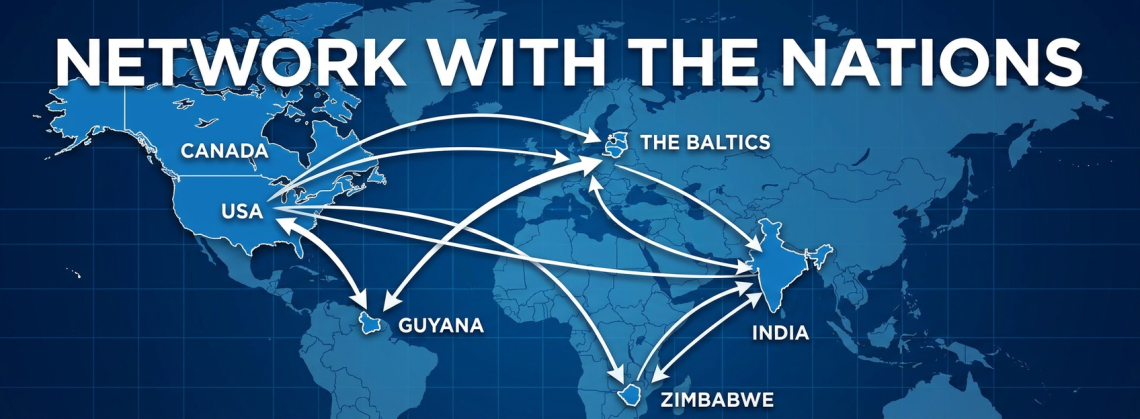
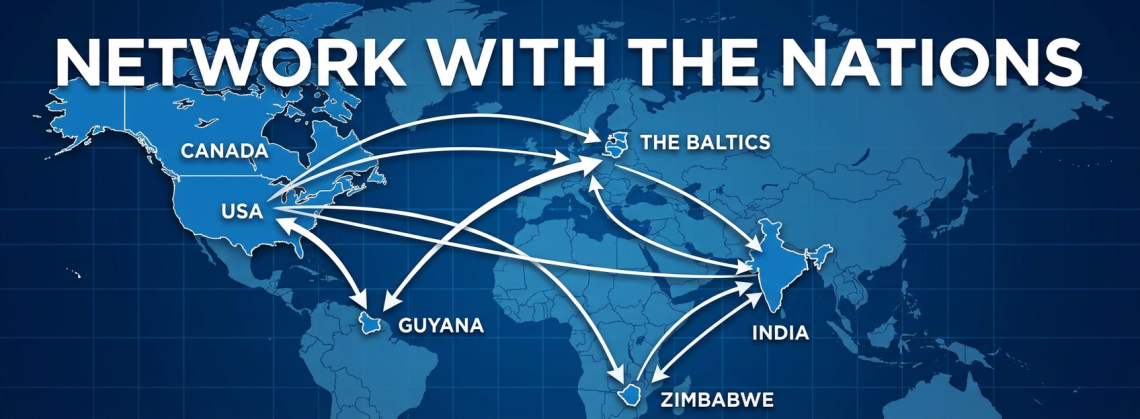


🎉 Get ready for the monthly NIA Citywide Mixer! 🎉 Join us at Warehouse 72 for an evening of connections! Hosted by Lisa and Moose Rosenfeld. 📅 Date: July 23 🕒 Time: 3:30 PM - 6:00 PM 📍 Location: Warehouse 72, 7620 Katy Freeway, Houston, TX 77024 Don’t miss out on the chance to connect and unwind! We can’t wait to see you there. RSVP now and experience the best of networking in Houston!
At Network In Action, we’re always looking for new ways to help you build stronger business relationships and stronger businesses! WhatsApp is rolling out usernames, allowing you to connect with others without sharing your phone number, and we wanted to make sure you’re among the first to know. We’re committed to keeping our members at the forefront of valuable new tools and benefits.
WhatsApp lets you connect with...At Network In Action, we’re always looking for new ways to help you build stronger business relationships and stronger businesses! WhatsApp is rolling out usernames, allowing you to connect with others without sharing your phone number, and we wanted to make sure you’re among the first to know. We’re committed to keeping our members at the forefront of valuable new tools and benefits.
WhatsApp lets you connect with people without revealing your phone number. Your phone number is still required to create and keep your WhatsApp account, but once usernames are enabled, you can share your username instead of your number.
To claim yours:
1. Update WhatsApp to the latest version from the App Store.
2. Open WhatsApp.
3. Go to Settings → Account → Username.
4. Choose your preferred username. If it’s available, reserve it.
5. (Optional) Set up a Username Key, which adds an extra layer of privacy by requiring a code in addition to your username before new people can message you.
Show more
At Network In Action, we’re always looking for new ways to help you build stronger business relationships and stronger businesses! WhatsApp is rolling out usernames, allowing you to connect with others without sharing your phone number, and we wanted to make sure you’re among the first to know. We’re committed to keeping our members at the forefront of valuable new tools and benefits.
WhatsApp lets you connect with...At Network In Action, we’re always looking for new ways to help you build stronger business relationships and stronger businesses! WhatsApp is rolling out usernames, allowing you to connect with others without sharing your phone number, and we wanted to make sure you’re among the first to know. We’re committed to keeping our members at the forefront of valuable new tools and benefits.
WhatsApp lets you connect with people without revealing your phone number. Your phone number is still required to create and keep your WhatsApp account, but once usernames are enabled, you can share your username instead of your number.
To claim yours:
1. Update WhatsApp to the latest version from the App Store.
2. Open WhatsApp.
3. Go to Settings → Account → Username.
4. Choose your preferred username. If it’s available, reserve it.
5. (Optional) Set up a Username Key, which adds an extra layer of privacy by requiring a code in addition to your username before new people can message you.
Show more
At Network In Action, we’re always looking for new ways to help you build stronger business relationships and stronger businesses! WhatsApp is rolling out usernames, allowing you to connect with others without sharing your phone number, and we wanted to make sure you’re among the first to know. We’re committed to keeping our members at the forefront of valuable new tools and benefits.
WhatsApp lets you connect with...At Network In Action, we’re always looking for new ways to help you build stronger business relationships and stronger businesses! WhatsApp is rolling out usernames, allowing you to connect with others without sharing your phone number, and we wanted to make sure you’re among the first to know. We’re committed to keeping our members at the forefront of valuable new tools and benefits.
WhatsApp lets you connect with people without revealing your phone number. Your phone number is still required to create and keep your WhatsApp account, but once usernames are enabled, you can share your username instead of your number.
To claim yours:
1. Update WhatsApp to the latest version from the App Store.
2. Open WhatsApp.
3. Go to Settings → Account → Username.
4. Choose your preferred username. If it’s available, reserve it.
5. (Optional) Set up a Username Key, which adds an extra layer of privacy by requiring a code in addition to your username before new people can message you.
Show more
At Network In Action, we’re always looking for new ways to help you build stronger business relationships and stronger businesses! WhatsApp is rolling out usernames, allowing you to connect with others without sharing your phone number, and we wanted to make sure you’re among the first to know. We’re committed to keeping our members at the forefront of valuable new tools and benefits.
WhatsApp lets you connect with...At Network In Action, we’re always looking for new ways to help you build stronger business relationships and stronger businesses! WhatsApp is rolling out usernames, allowing you to connect with others without sharing your phone number, and we wanted to make sure you’re among the first to know. We’re committed to keeping our members at the forefront of valuable new tools and benefits.
WhatsApp lets you connect with people without revealing your phone number. Your phone number is still required to create and keep your WhatsApp account, but once usernames are enabled, you can share your username instead of your number.
To claim yours:
1. Update WhatsApp to the latest version from the App Store.
2. Open WhatsApp.
3. Go to Settings → Account → Username.
4. Choose your preferred username. If it’s available, reserve it.
5. (Optional) Set up a Username Key, which adds an extra layer of privacy by requiring a code in addition to your username before new people can message you.
Show more
At Network In Action, we’re always looking for new ways to help you build stronger business relationships and stronger businesses! WhatsApp is rolling out usernames, allowing you to connect with others without sharing your phone number, and we wanted to make sure you’re among the first to know. We’re committed to keeping our members at the forefront of valuable new tools and benefits.
WhatsApp lets you connect with...At Network In Action, we’re always looking for new ways to help you build stronger business relationships and stronger businesses! WhatsApp is rolling out usernames, allowing you to connect with others without sharing your phone number, and we wanted to make sure you’re among the first to know. We’re committed to keeping our members at the forefront of valuable new tools and benefits.
WhatsApp lets you connect with people without revealing your phone number. Your phone number is still required to create and keep your WhatsApp account, but once usernames are enabled, you can share your username instead of your number.
To claim yours:
1. Update WhatsApp to the latest version from the App Store.
2. Open WhatsApp.
3. Go to Settings → Account → Username.
4. Choose your preferred username. If it’s available, reserve it.
5. (Optional) Set up a Username Key, which adds an extra layer of privacy by requiring a code in addition to your username before new people can message you.
Show more
At Network In Action, we’re always looking for new ways to help you build stronger business relationships and stronger businesses! WhatsApp is rolling out usernames, allowing you to connect with others without sharing your phone number, and we wanted to make sure you’re among the first to know. We’re committed to keeping our members at the forefront of valuable new tools and benefits.
WhatsApp lets you connect with...At Network In Action, we’re always looking for new ways to help you build stronger business relationships and stronger businesses! WhatsApp is rolling out usernames, allowing you to connect with others without sharing your phone number, and we wanted to make sure you’re among the first to know. We’re committed to keeping our members at the forefront of valuable new tools and benefits.
WhatsApp lets you connect with people without revealing your phone number. Your phone number is still required to create and keep your WhatsApp account, but once usernames are enabled, you can share your username instead of your number.
To claim yours:
1. Update WhatsApp to the latest version from the App Store.
2. Open WhatsApp.
3. Go to Settings → Account → Username.
4. Choose your preferred username. If it’s available, reserve it.
5. (Optional) Set up a Username Key, which adds an extra layer of privacy by requiring a code in addition to your username before new people can message you.
Show more
At Network In Action, we’re always looking for new ways to help you build stronger business relationships and stronger businesses! WhatsApp is rolling out usernames, allowing you to connect with others without sharing your phone number, and we wanted to make sure you’re among the first to know. We’re committed to keeping our members at the forefront of valuable new tools and benefits.
WhatsApp lets you connect with...At Network In Action, we’re always looking for new ways to help you build stronger business relationships and stronger businesses! WhatsApp is rolling out usernames, allowing you to connect with others without sharing your phone number, and we wanted to make sure you’re among the first to know. We’re committed to keeping our members at the forefront of valuable new tools and benefits.
WhatsApp lets you connect with people without revealing your phone number. Your phone number is still required to create and keep your WhatsApp account, but once usernames are enabled, you can share your username instead of your number.
To claim yours:
1. Update WhatsApp to the latest version from the App Store.
2. Open WhatsApp.
3. Go to Settings → Account → Username.
4. Choose your preferred username. If it’s available, reserve it.
5. (Optional) Set up a Username Key, which adds an extra layer of privacy by requiring a code in addition to your username before new people can message you.
Show more
🎉 Get ready for the monthly NIA Citywide Mixer! 🎉 Join us at Vine Memorial for an evening of connections! Hosted by Helen and Oscar Maldonado. 📅 Date: June 25 🕒 Time: 3:30 PM - 6:00 PM 📍 Location: Vine Memorial, 7951 Katy Freeway, Unit B, Houston, TX 77024 Don’t miss out on the chance to connect and unwind! We can’t wait to see you there. RSVP now and experience the best of networking in Houston!
🎉 Get ready for the monthly NIA Citywide Mixer! 🎉 Join us at Vine Memorial for an evening of connections! Hosted by Lisa Rosenfeld. 📅 Date: April 23rd 🕒 Time: 3:30 PM - 6:00 PM 📍 Location: Vine Memorial, 7951 Katy Freeway, Unit B, Houston, TX 77024 Don’t miss out on the chance to connect and unwind! We can’t wait to see you there. RSVP now and experience the best of networking in Houston!